If you need to edit the information on a Payment Method, or update your active Credit Card follow the steps below.
- Click your name in the top right hand corner of the window to open your User Profile.
- Click "Wallet" to show your payment methods.
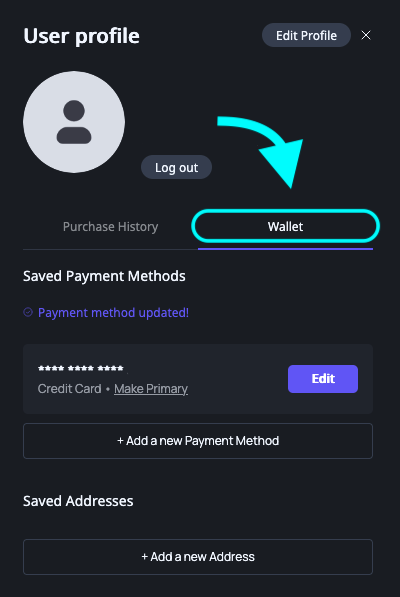
- The "Wallet" tab will display your saved Payment Methods and Addresses. Click the "Edit" button to edit or remove your payment information.
- If you need to add a new Payment Method, click the "+ Add a new Payment Method" button and fill out the Payment form to do so.
Was this article helpful?
That’s Great!
Thank you for your feedback
Sorry! We couldn't be helpful
Thank you for your feedback
Feedback sent
We appreciate your effort and will try to fix the article