If you need to cancel your subscription to one of our client's services, you may do this directly through their site by following the steps below.
- While logged in, click your name to open your user profile, which will display your purchases.
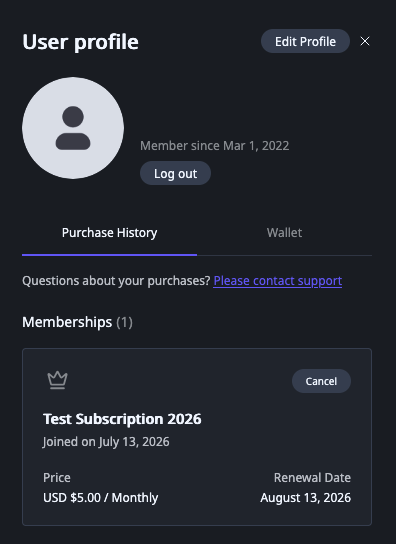
- Find the subscription you'd like to cancel, and click the "Cancel" button to the right of the name of the Subscription.
- A modal will appear asking you to confirm that you'd like your subscription, and displaying your cancellation date. Click yes.
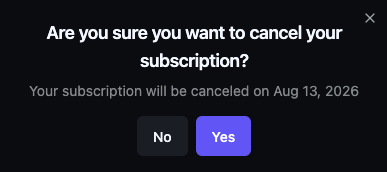
- Your cancellation is complete. Billing will stop at the end of the current billing period.
Was this article helpful?
That’s Great!
Thank you for your feedback
Sorry! We couldn't be helpful
Thank you for your feedback
Feedback sent
We appreciate your effort and will try to fix the article